Introduction to Taobao Shopping
Taobao is China’s largest online marketplace offering everything you need at significantly lower prices than Western retailers. While the platform is primarily in Chinese, this guide will show you how to shop directly and save up to 40% compared to using agents.
Key Benefits of Direct Taobao Shopping:
- Lower prices (Avoid 15-20% agent fees)
- Wider product selection
- Official international shipping to 15 countries
- Better seller communication
Table of Contents
- Preparation Before Shopping
- Vist & Account Creation
- Adding Your Address
- Product Selection
- Placing Orders
- Before First Payment
- Order Management
- International Shipping Payment
- Order Tracking & Delivery
- After-Sales Service
- Troubleshooting
- Preparation
Taobao Direct Ship Supported Countries
Taobao officially ships to:
- USA, Canada
- Australia, New Zealand
- Japan, South Korea
- Singapore, Malaysia
- Thailand, Vietnam
- Philippines, Cambodia
- Hong Kong, Macau, Taiwan
Pro Tip: Use Taobao’s country checker to confirm availability.
Understanding Taobao Platforms:
| Platform | Description | Best For |
| www.taobao.com | Main marketplace | Largest selection |
| world.taobao.com | International version | Easier navigation |
| www.tmall.com | Branded products | Authentic electronics |
| Taobao App | IOS / Google Playstore | MobliePhones |
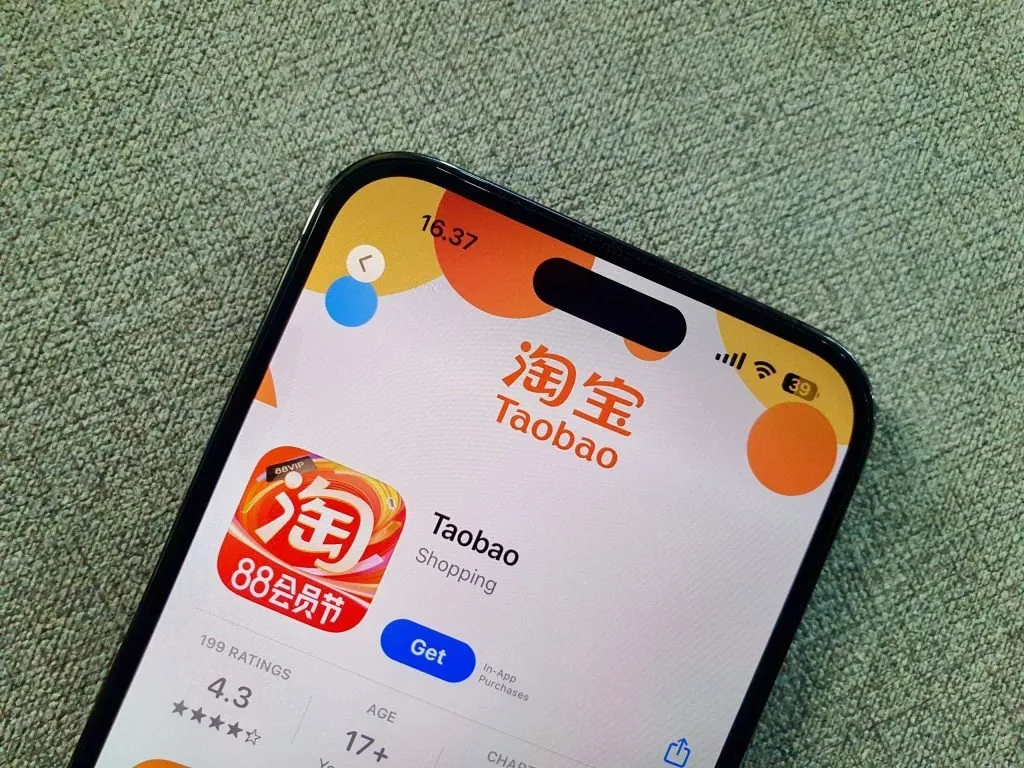
Maybe you Like:How to Download Taobao AppHow to Vist Taobao.com by English
Prohibited Items:
- Oversized/heavy items
- Food products
- Liquids/powders
- Weapons (including replicas)
- Certain electronics
- Magnetic items
- Batteries
- Counterfeit goods
Important: Pre-orders are risky due to account restrictions. Consider agents for these purchases.
- Account Creation
Step-by-Step Account Registration:
- Visit world.taobao.com Website
- Click “Register” “注册”or”立即注册”:(upper right)
- Select your country,if don’t find please choice Golbal “全球”
- Enter valid phone number (SMS verification required)
- Set secure password
- Complete basic profile
More Register & Certified Please to: How to Register & Certified Your Taobao Account How to Use the Taobao app for mobile registration

- Adding Your Address
- Log into your account “我的淘宝”
- Cilk the “账户设置”
- Navigate to “My Addresses” “收货地址”
- Add international shipping address with:
- Complete street address
- Valid phone number
- Postal code
Note: Double-check accuracy – changing addresses after ordering is difficult.
- Product Selection
Finding Products:
- Use image search (camera icon)
- Search English keywords + “淘宝”
- Filter by “Most Saved” for popular items
More Tips:Taobao Shopping Search: Dive Deeper When the First Page DisappointsTaobao Shopping Search: Master Filtering to Cut Through Clutter and Discover GemsTaobao Shopping Search: Smart Product Comparison – Don’t Settle for the First OptionTaobao Shopping Search: Unleash the Power of Effective Keyword StrategiesTaobao shopping Search: lmage Search – Find What You Want When You Only Know the Look
Evaluating Sellers:
- Check store rating (4.8+ preferred)
- Read recent reviews (sort by newest)
- Verify return policy
- Message seller via Aliwangwang
Red Flags: New sellers with few reviews, prices significantly below market. Taobao Product Comparison: Beyond the Sticker Price – Comprehensive Price CheckingTaobao Product Comparison: Deciphering Star Ratings – When to Trust and When to lgnoreTaobao Product Comparison: Read Reviews Like a Pro – Spot Fakes and Find Real DealsTaobao Product Comparison: Side – by- Side Comparison Secrets (Features, Specs & More)
- Placing Orders
Shipping Options:
| Method | Delivery Time | Best For |
| Consolidated Air | 7-12 days | Small/medium items |
| Consolidated Sea | 20-35 days | Large/heavy items |
| Direct Shipping | 5-10 days | Urgent orders |
Cost-Saving Tip: Combine multiple orders using consolidated shipping.
- First Payment
Payment Methods:
- Credit Cards (3% fee)
- Alipay (No fee)
- Alipay Gift Cards (No fee)
- eBanking (1.5-3% fee)
Security Note: Set up Alipay payment password for additional security. How Do Register and Use Alipay?How to Link Your Visa or Mastercard to AlipayHow to Transfer Money to an Alipay Account
- Order Management
Tracking Order Status:
- Buyer Paid – Payment confirmed
- Seller Shipped – Domestic shipping started
- In Transit – En route to warehouse
- Received – At consolidation center
Action Required: When status shows “Received,” pay international shipping fee.
- International Shipping Payment
- Log into Taobao
- Go to “Cross-border Logistics” “跨境物流管理”
- Select parcels to consolidate
- Verify shipping details
- Pay final shipping costs
Remember Shipping:Why You Should Consolidate Your Taobao or 1688 Orders Before ShippingHow to Process a Consolidated Order on Taobao or 1688 Step-by-StepHow to Choose the Best Consolidated Shipping Method from China
- Tracking & Delivery
Estimated Delivery Times:
| Country | Air Shipping | Sea Shipping |
| USA | 12 days | N/A |
| Australia | 12 days | 35 days |
| Singapore | 5 days | 15 days |
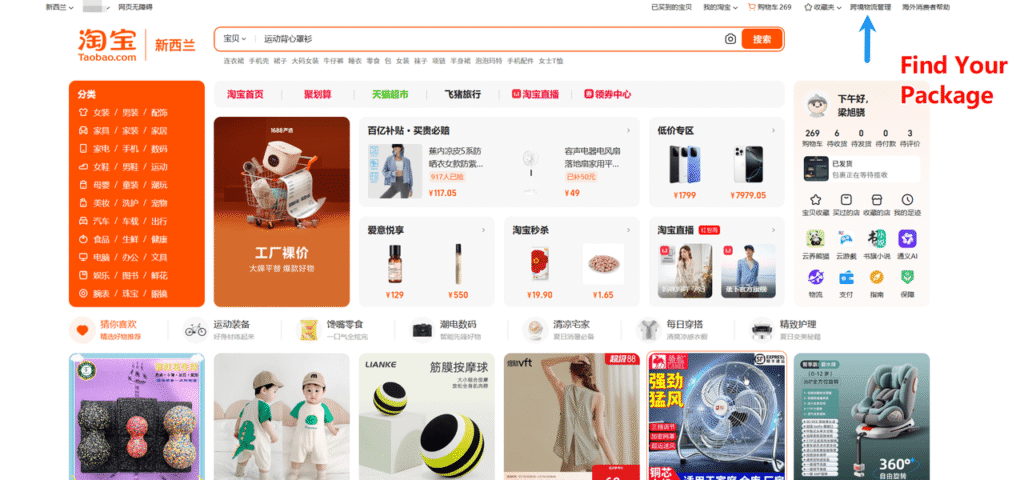
Guides for your order:Taobao Package Tracking Guide: How to Check Your Order StatusNo Tracking Info on Taobao? Here’s How to Fix Missing Logistics UpdatesLost Taobao Package? Step-by-Step Solutions to Recover Your OrderTaobao Shipping Problems Solved: Tracking, Delays & Lost PackagesHow to Contact Taobao Sellers About Missing/Lost Packages (With Templates)
- After-Sales Service
Return Policy:
- 10-day no-questions-asked returns
- 25-day return window for defects
- Refunds processed within 7 business days
Tip: Contact seller before initiating returns for smoother process.
- Troubleshooting
Helpful Resources:
Final Tips for Successful Taobao Shopping
- Start with small purchases to test the system
- Use Chrome for automatic translation
- Communicate clearly with sellers
- Track orders regularly
- Be aware of customs regulations
Happy shopping!